
Payment Update
We’ve made it easier to keep your File Republic account up to date. You can now update your payment details directly in the application in just a few clicks.
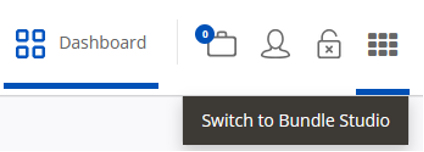
Step 1 - Log into the File Republic Storage portal, and from the 9 dots in the top right corner click on
‘Switch to Bundle Studio’.
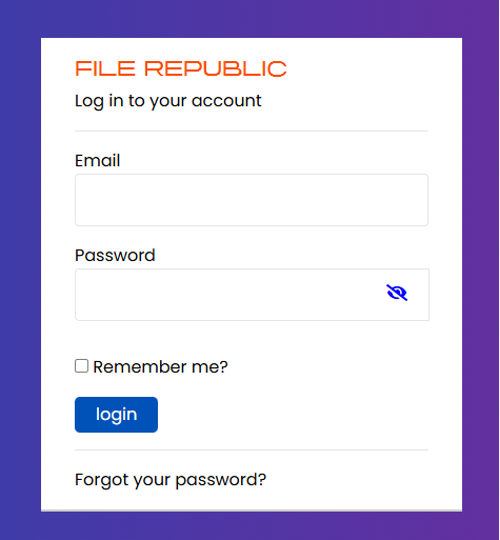
Step 2 - You will be prompted to enter a File Republic login, please note that this is different from the credentials used to access your Storage portal.
Your firm’s billing contact has been created as a user on your account, and from this screen should select ‘Forgot your password?’.
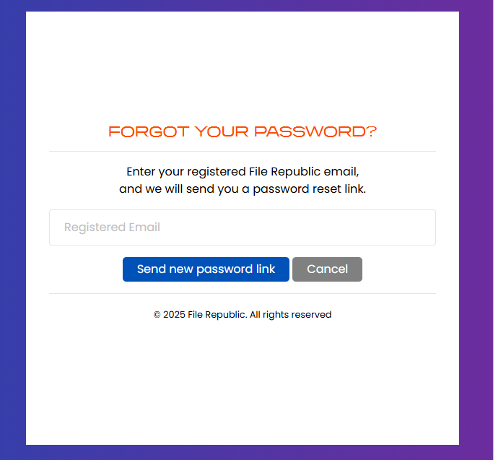
Step 3 - When prompted, enter the email address to be issued a password reset.
If you’re unsure who your billing contact is or would like to add authority for someone else to action this, please contact our Finance Team for assistance.
Step 4 - From here, you’ll be able to log into the platform, at which point you will be directed to the new ‘Manage Payments’ screen (for future reference, this screen is available in the ‘My Account’ section).
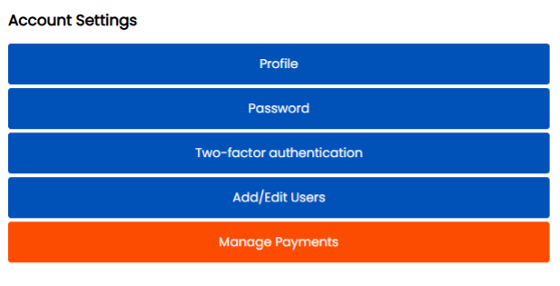
Step 5 - Your payment method can then be updated using the ‘Update Payment Method’ button.
